Type something to search...
Git 常用命令

Git 常用命令

  • Productivity
  • 28 Jun, 2017

將其他分支的某個檔案合併到目前分支

$git checkout other_branch target_file

顯示其他分支的檔案

$git show other_branch:path

比較兩個 commit 之間的差別

$git diff revision_1:file_1 revision_2:file_2

修改 commit 訊息

$git commit --amend

獲取遠端分支

$git fetch
$git checkout branch

刪除本地分支

$git branch -d branch_name

刪除遠端分支

$git push repository_name --delete branch_name

將檔案從 git 版本控制中移除(會導致其他 repository 將該檔案刪除)

$git rm --cached file_name

回復到上一個 commit 的狀態

$git reset --hard

回復某個檔案到上一個 commit 的狀態

$git checkout HEAD -- file_name
Tags :
Share :

Related Posts

[Mac][iTerm2] 解放 Ctrl←、Ctrl → 用於字與字之間的移動
[Mac][iTerm2] 解放 Ctrl←、Ctrl → 用於字與字之間的移動

終於有時間來研究這件事要怎麼做到,後來研究出最簡單的解法是這樣 簡單來說就是想簡單做到下面這件事:後來發現只要把目前被拿來切換全螢幕的快捷鍵改成用別的鍵就好了。 System Preferences>Keyboard>Shortcuts>Mis

read more
Octopress 常用命令
Octopress 常用命令

新增文章 $bundle exec rake new_post['post_title']編輯文章 $vim source/_posts/post_file預覽網站 $bundle exec rake preview生成網站 $bundle exec rake generate發佈網站

read more
Ubuntu 常用命令
Ubuntu 常用命令

解壓縮 解壓縮 tar.gz 檔 $tar zxvf file_name.tar.gz解壓縮 tar 檔 $tar xvf file_name.tar壓縮成 gz 檔 $gzip -c input_file > output_file.gz解壓縮 gz 檔 $gzip -d file_name.gz

read more
Vim 常用套件與指令
Vim 常用套件與指令

視窗 將目前視窗放到最大 Ctrl + w + _移動到上/下面視窗 Ctrl + w + up/down套件管理 從 vimrc 自動安裝 Vundle " ht

read more
Vim 的 tab 設定
Vim 的 tab 設定

expandtab :在 insert mode 時,輸入 tab 時,改為輸入 space softtabstop :在 insert mode 時,按下 tab 鍵會跑出幾個 space tabstop :tab 的寬度為幾個 space shiftwidth :縮排的寬度為幾個 space實驗 softtabstop 跟 tabstop 先關閉 `e

read more
其實你可以不用 cherry-pick
其實你可以不用 cherry-pick

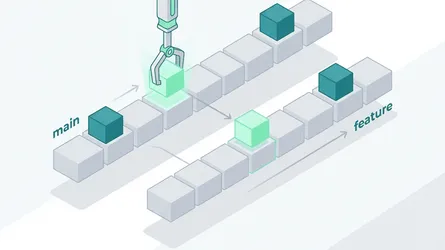
如果今天有三支 branch:master、staging、feature/b。本來你在開發中的 feature/b 是從 staging 長出來的分支,但是現在你必須將 feature/b 的內容轉移到 master 上,如圖,你會怎麼做呢? 從

read more